

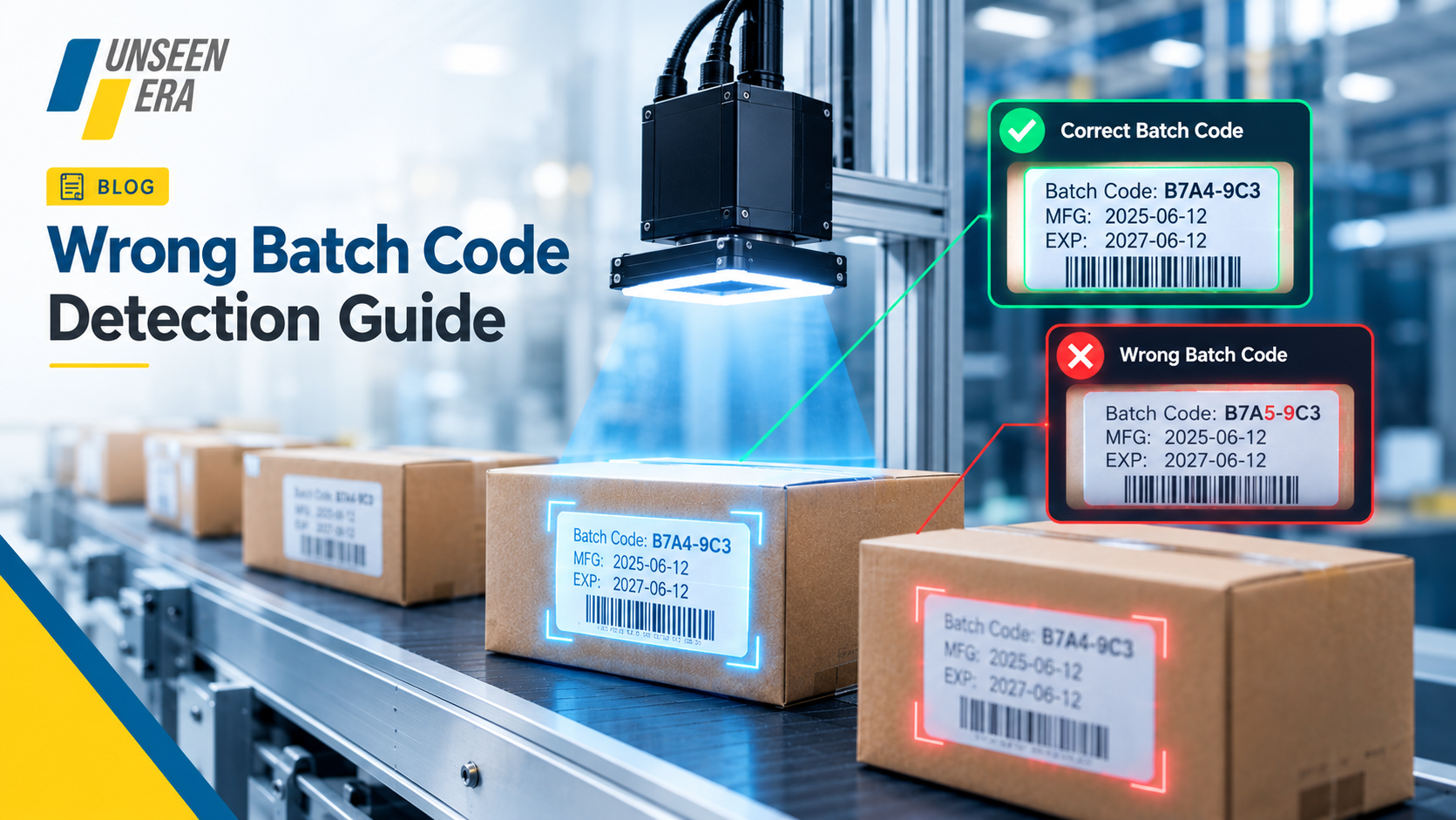
Modern manufacturing and packaging processes require high quality batch codes to identify, track, trace, and control products while in processing and later on as well. Batch code errors such as being incorrect, absent, duplicated, misplaced, or hard to read can cause problems in the workplace, especially in fast process lines where the workload can become overwhelming for the human eye.
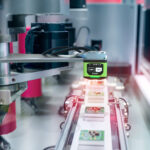
Wrong Batch Code Detection on-the-fly machine vision offers an automated method to check printed codes as they go through production. Vision cameras can take images of the products, and OCR, OCV and image-processing software can read the batch codes and compare it to known information. If the code is incorrect, the system can generate an alert or reject the product.
Learn how vision-based batch code inspection functions, the types of errors detected, the technology used, and the factors impacting detection accuracy. Find out how Unseen Era Technologies develops scalable industrial vision solutions to help businesses innovate through automation, tailored to their production and quality control processes.
What is Wrong Batch Code Detection?
Wrong Batch Code Detection is the process of automatically identifying incorrect, missing, incomplete, or unreadable batch codes printed on products or packaging. In manufacturing environments, batch codes are used to identify production lots and support product traceability. Any error in these codes can lead to difficulties in tracking products, packaging mistakes, rework, or quality-control issues. A machine vision system can automate this inspection by capturing images of products as they move through the production line. If the code does not match the predefined criteria, the system can flag the product for further action.
Why is Accurate Batch Code Detection Important?
Batch code detection is an essential element of quality control in modern manufacturing and packaging. Batch codes allow manufacturers to label production lots, trace products within the supply chain, and help keep an ordered set of production records.
- Stopping Incorrect Product from Proceeding
A wrong batch code can lead to no wrong product recognition or a confused production lot. A vision system can verify the printed code against preprogrammed information and can alert that the product is mismatched.
- Improves Product Traceability
Proper batch coding simplifies tracking products to the batch in which they were produced. It can facilitate inventory management, product investigation, and other manufacturing processes that require an identifier.
- Reduces Packaging and Labelling Errors
Batch-code errors can result from setting-up errors, print failures, data-entry errors, and variations from run to run. Automated inspection can monitor codes without human intervention and detect errors.
- Supports Consistent Quality Control
Manual inspection can become difficult when using it on the scale, as it may require large amounts of products being inspected at high speeds on production lines. Machine vision can provide automated specifications to maintain the standardised inspection process.
- Helps Detect Printing Problems
The vision system can also read missed, blurred, partial, covered, improperly positioned, or difficult-to-read batch codes if the vision system is adjusted accordingly.
What Types of Batch Code Errors Can a Vision System Detect?
A machine vision system can also verify batch codes automatically and recognize various printing, formatting, and verification defects. Cameras, appropriate illumination, OCR/OCV, and image processing software can be integrated in the production line to determine whether the code meets set standards before the product advances.
- Incorrect Batch Numbers
A vision system is capable of reading the printed batch number and comparing it to the data. If the product’s batch number, digit, or character does not match the production data, the product can be classified as a failed inspection.
- Missing Batch Codes
A product can get to a coding station and then not have a batch code applied. Vision inspection can review a code area and then flag products where the code is completely missing.
- Unreadable or Poor-Quality Codes
Deciphering products with fuzzy, illegible, blurry, or low-contrast codes presents a challenge. A vision system can identify characters that do not conform to required definition and quality standards, depending on the parameters defined in the inspection set-up.
- Incorrect Characters or Digits
One stray character can alter a whole batch code. OCR and OCV can assist with detecting a character not fit; a wrong letter or number in the sequence.
- Incomplete or Partially Printed Codes
Printing issues may cause odd characters to be missing or the pack code to appear only partially printed. Automated inspection of the code area can detect partial printing of batch and character codes according to set inspection criteria.
- Duplicate or Unexpected Codes
If accessible production info, a vision system can help verify if the printed code was the expected production info. The code can be tested against what should be present, revealing unexpected codes or coding mismatches.
- Incorrect Code Position
A batch code is available but printed outside its designated position. Vision inspection allows setting up a region of interest to ensure that the code appears in the required area.
How Does a Vision System Detect Wrong Batch Codes?
A vision system can detect incorrect batch codes by scanning each product during production, checking the printed code and matching it to known or expected data. This can involve a combination of industrial cameras, lighting, image-processing software, and OCR/OCV technology used to perform automatic inspection.
- Product Positioning
At first, the product arrives at a predefined inspection location on the production line. The positioning of the production item ensures that the batch-code region is directed at the camera and always stays in view.
- Image Capture
Camera-based imaging of the product and printed batch code. The resolution of the camera, shutter speed, lens type, and position are set depending on the product size, batch code size, and the speed of production.
- Controlled Lighting
Lighting is selected to enhance the visual perception of the batch code as a good contrast to the product or surface. Even lighting may reduce effects due to reflections, shadows, non-uniformities, or variations in ambient light.
- Image Processing
The image taken is processed to extract just the batch-code region and to enhance the characters’ contrast. Image processing allows the system to detect the code even if there is visual clutter on the packaging background.
- OCR/OCV Code Reading
OCR (Optical Character Recognition) is able to read letters and numbers from the printed batch code. OCV (Optical Character Verification) is able to verify that the characters are displayed correctly as per the programmed inspection parameters.
Why Choose Unseen Era Technologies for Vision-Based Inspection?
When deploying a vision-based inspection system for batch-code verification, choosing the right technology partner will make all the difference. Unseen Era Technologies prides itself on creating vision-based solutions that are easily built around industrial inspection needs.
- Application-Focused Vision Solutions
Batch-code inspection applications may present various difficulties. Instead of providing a one-size-fits-all system, Unseen Era Technologies can configure the inspection requirements based on variables such as product, packer, code, and manufacturing conditions.
- Automated Batch Code Verification
Visual inspection of printed batch codes can also be automated. According to the application, OCR, OCV, image processing, and pattern inspection technologies can all be utilized to find incorrect, missing and incomplete printed batch codes.
- Camera and Lighting Integration
Quality image capture is critical for machine vision. The right camera, lens, and lighting setup can ensure you get consistent, usable images for inspection.
- Production-Line Integration
Unseen Era Technologies can design solutions that have the right communication and automation interfaces so that inspection results can be fed into the manufacturing process if required.
- Real-Time Inspection
In manufacturing environments where high speed is essential, automated inspection can inspect products as they pass through the production line, which can help catch batch-code errors early.
- Customised Inspection Parameters
Batch codes also vary in format, size, printing location, font, and printing quality. Inspection settings can then be programmed based on the requirements of the specific application.
Conclusion
A vision-based batch code detection system provides an automated approach to checking printed codes for accuracy, presence, readability, and positioning. By combining industrial cameras, controlled lighting, image processing, and OCR/OCV technologies, manufacturers can perform consistent inspections directly on the production line. Unseen Era Technologies can help businesses explore customised machine vision solutions for automated batch-code verification and other industrial inspection applications.
Frequently Asked Questions (FAQs)
- What is wrong batch code detection?
Wrong batch code detection is the automated recognition of wrong, missing, incomplete, or unreadable batch codes on products or packaging. This code can be checked by the vision system and compared against a set of rules.
- What sort of batch codes can a vision system verify?
A camera takes a picture of the printed code, then image-processing software isolates the relevant code area. The code can then be read or verified using OCR or OCV and checked against what’s expected.
- Does the camera system identify absent batch codes?
Yes. A vision system will be able to locate an area of the package or product and confirm the presence of the required batch code.
- Which Batch Code Errors Can Machine Vision Detect?
It can identify incorrect characters, absence of code, incomplete prints, blank code, poor code quality, poor character quality, incorrect code location, and various other preset code errors on a per-feature basis.
- What function do OCR and OCV have in batch code check?
Optical Character Recognition (OCR) reads unknown printed text into digital data, while Optical Character Verification (OCV) checks if known expected text is present, accurate, and legible.
- Is it possible to integrate a batch code vision system with an already operating production line?
Yes. A vision system can interface with products moving down the production line, such as a PLC, conveyors, or reject devices, though the exact interface will vary according to the production-line configuration and the inspection needs.



 Call
Call Whatsapp
 Shop Online