

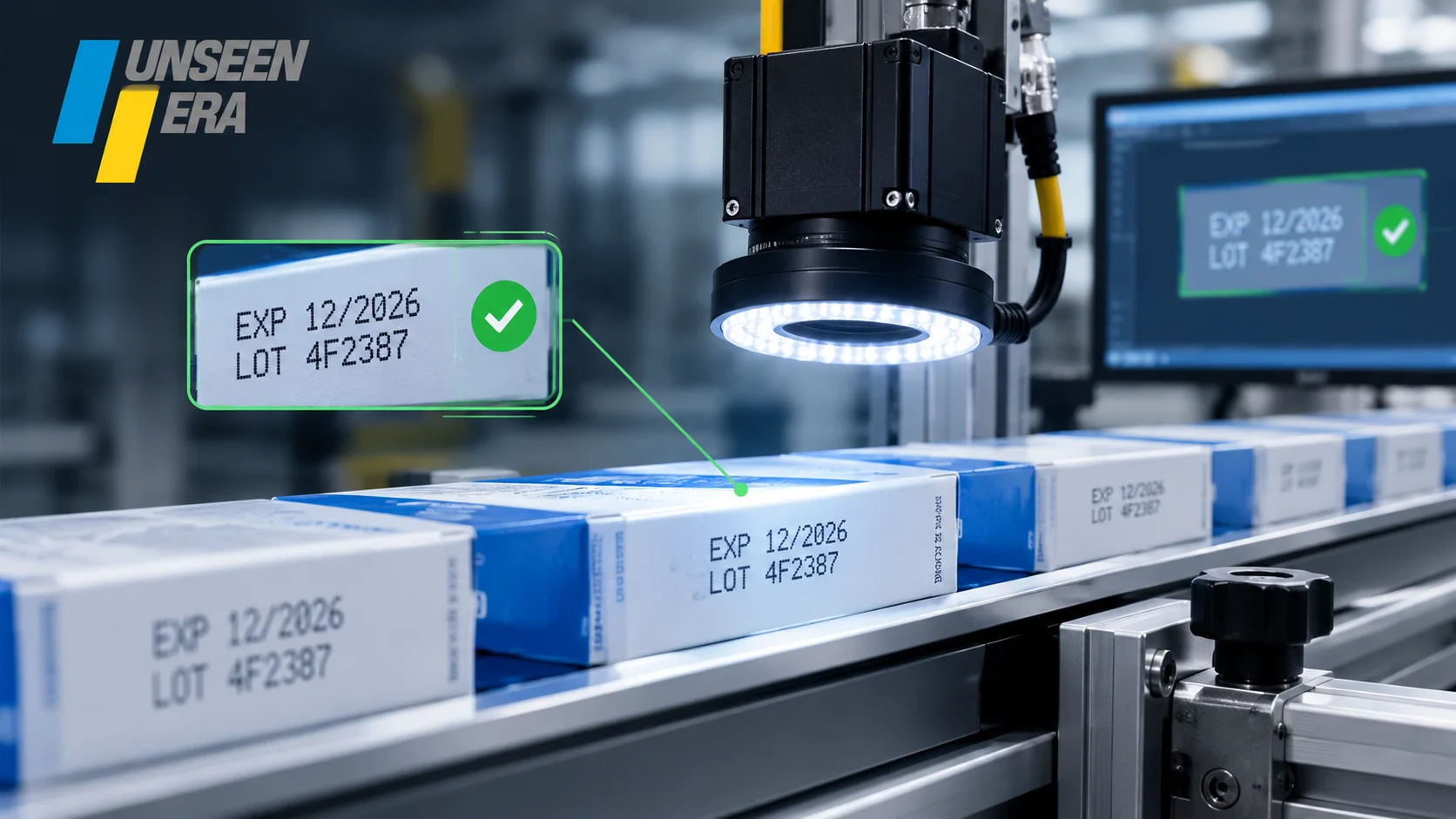
Have you ever thought about how companies make sure that the expiry date printed on every item is right?
Imagine a factory where more than hundreds of items are packed every hour. Each item needs the expiry date, manufacturing date, batch number or other important details. Inspecting all of this by hand can be hard, especially when the factory is working fast. This is where automated expiry date checking can help.
Unseenera provides smart machine vision and automation solutions that help businesses improve the accuracy and efficiency of their production processes. Its vision-based systems can be used to inspect printed information such as expiry dates, manufacturing dates, batch numbers and other product details.
For more details, call us on 7206885596 or email us at info@unseenera.com.
What Is Automated Expiry Date Checking?
Automated expiry date checking means using a camera and software to automatically look at the date printed on an item. Instead of having a person look at every package, the system does the checking on its own. For example, an item should have an expiry date of:
EXP: 15/10/2027
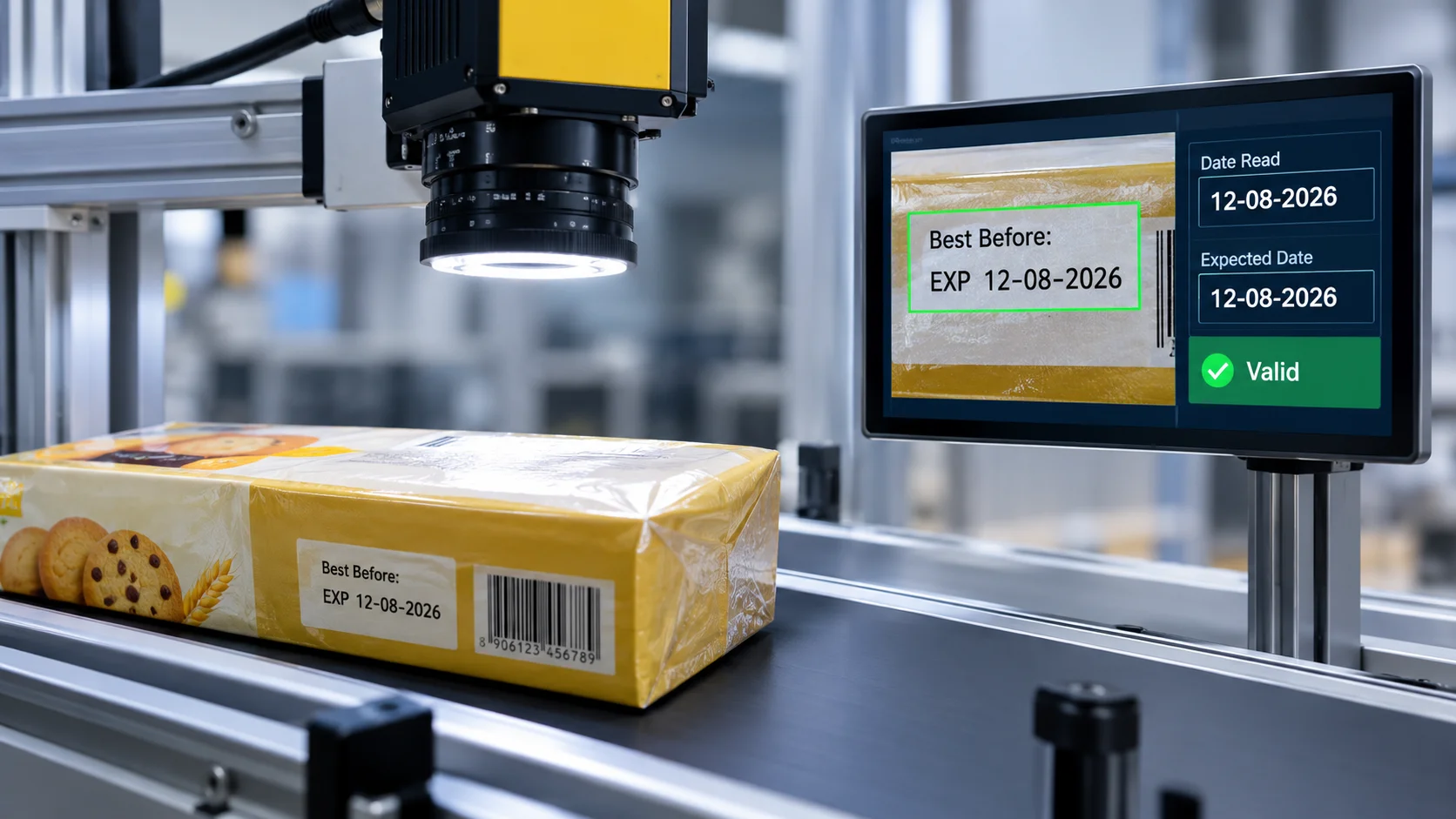
The camera takes a picture of the printed date. The software reads the text. The system then checks if the date is what it should be. If everything is correct the item moves on with the rest of the line. If the date is not there, wrong or not readable, the system can mark the item as bad.
Why Is Checking the Expiry Date Important?
An expiry date might seem like a detail on a package but it is really important. Companies also need to make sure that the information on their products is right and follows the rules for labels.
For example the rules for food labels in India include things like expiry dates and how to write them. Now imagine a factory line where the printer keeps using the expiry date from the batch.
The items might look fine. The printed information is wrong. A person checking by hand might not see every package especially when the line is moving fast. An automated date-checking system can check the printed information while the factory is running.
How Does Automatic Expiry Date Checking Work?
The process is actually not complicated when we look at it step by step.
- The Item Comes to the Checking Area: Items move along a conveyor belt after being filled wrapped or labeled. A sensor notices when an item reaches the checking point..
- The Camera Takes a Picture of the Date: An industrial camera takes a picture of the area where the expiry date is printed. Good lighting is important here because packages can be shiny, curved, clear or rough.
- The System Reads the Text: OCR allows the system to read text from a picture.
- The System Checks the Date: Reading the date is part of the job. The system also needs to check if the date is right. It can compare the printed information with the expected details such as:
- Product name or code
- Manufacturing date
- Expiry date
- Batch number
- Rules for the date format
- The System Says Pass or Fail: Once the date has been checked the system makes a decision. If the item fails the check the system can send a message to the factory line.
- The Wrong Item Gets Removed: The failed item can then be taken off the line using a system.
What Printing Issues Can Be Found?
An expiry date checking system can find several common printing problems.
No Date: Sometimes the printer might not print the expiry date at all. The system can see that the expected date is not there.
Wrong Date: The date may be printed,. It might be wrong. For example the printer could still be using the date from the batch. The system can compare the date printed with the one it should be.
Blurred Date: Ink can sometimes get smudged during printing. Before it is dry. This can make the expiry date hard to read.
Faded Text: A date might be there but too light or unclear. This can happen because of problems with printing, contrast or the wrong surface. Automated checking can help find these problems.
Wrong Format: A company might need a way to write the date. If the printed date does not follow the format the system can spot it.
Wrong Placement: The date also needs to be in the place. If it appears outside the area cameras can see the issue.
Where Can Expiry Date Checking Be Used?
Automated date checking can be useful in industries where products need different information printed on their packages. Some common examples include:
- Food and drinks
- Medicine
- Moving consumer goods
- Beauty products
- Personal care items
- Milk and dairy products
- Bottled items
- Bags and flexible packaging
- Boxes and cards
- Chemicals
For example, a medicine company might want to check the expiry date and batch number on medicine packages. An FMCG company might need to check the manufacturing date, expiry date and batch code on packaged items. The checking system can be made to fit the product the packaging, the printer and the factory line.
What Technology Is Used?
An automated expiry date printing checking system usually uses technologies.
- Camera for Vision: The camera takes pictures of items as they go along the factory line.
- OCR: OCR reads the text that is printed like expiry dates and batch numbers.
- OCV: OCV or Optical Character Verification, can be used to check if the printed text matches what it should be.
- Sensors: Sensors notice when an item reaches the checking area and help the system take the picture at the right time.
- Lighting for Industry: Lighting help the camera see the printed date clearly especially on shiny or curved packages.
- PLC Connection: When a wrong date is found, the PLC can start the action to remove it.
- Connection to Production Data: Advanced systems can link up with factory databases, ERP or MES systems. This helps the checking system know what information should be printed for an item or batch.
What Are the Benefits of Automated Expiry Date Checking?
The main benefit is quality without slowing down the factory. An automated system can help companies:
- Find expiry dates
- Spot missing dates
- Detect unclear or smudged printing
- Reduce the need for people to check
- Improve how to track products
- Cut down on packaging mistakes
- Find printer problems early
- Keep records of checks
- Help the factory run faster
For companies with moving lines these benefits can make a big difference.
Why Choose the Right Factory Automation Partner?
Putting a camera is not enough to make a good checking system. Every factory line is different. One product might have a surface while another might have a curved or transparent packaging. The system therefore needs to be designed based on the production environment. This includes selecting the right:
- Camera
- Lens
- Lighting
- OCR software
- Sensors
- PLC integration
- Inspection logic
- Rejection mechanism
At Unseenera, industrial automation and machine vision solutions can be created based on specific production and quality-control needs. The aim is not just to put in an inspection camera.
Conclusion
Checking expiry dates might seem like a job but doing it by hand on a fast production line can be difficult. Automated expiry date verification offers a way to manage this job.
By using machine vision, OCR, sensors, industrial cameras and automation, manufacturers can check if the expiry date is present, whether it can be read, if it is in the correct place and if it matches the correct information.
If you are trying to find a way to improve date code inspection, expiry date printing verification or automated quality inspection, machine vision can be a step toward a more dependable production process.
With the industrial automation solution, checking expiry dates can become a smooth part of production instead of another boring task for the worker. If you want an automation or machine vision solution, look into Unseen Era’s solutions to find a method that works for your production needs.
FAQs About How to Automatically Check if the Expiry Date Is Printed Correctly
1. Can a machine automatically read expiry dates?
Yes. Machine vision cameras and OCR software can read expiry dates that are printed on items. Read expiry dates that are printed on items.
2. Can the system find an expiry date?
Yes. The printed date can be compared with the production data which lets the system spot wrong dates.
3. Can it find a missing expiry date?
Yes. The system can check if the date that should be there is actually in the area being checked.
4. Can it find smudged or faded printing?
Yes. Depending on the camera, the lighting and the setup, the system can notice printing that does not meet the needed clarity or quality.
5. Can expiry date verification work on a fast production line?
Yes. Machine vision systems that are set up in the line can do checks while items move through. The speed that can be achieved actually depends on things like how the items are placed the camera equipment, how much image processing is needed and how the line is set up.
6. What is OCR in expiry date inspection?
OCR stands for Optical Character Recognition. It lets software read letters and numbers from a picture like an expiry date or a batch number.







 Call
Call Whatsapp
 Shop Online